
How to Improve Resume Keywords with Job Match
The Job Match feature in Resuque helps you identify missing ATS keywords and improve your resume naturally for a specific job description.
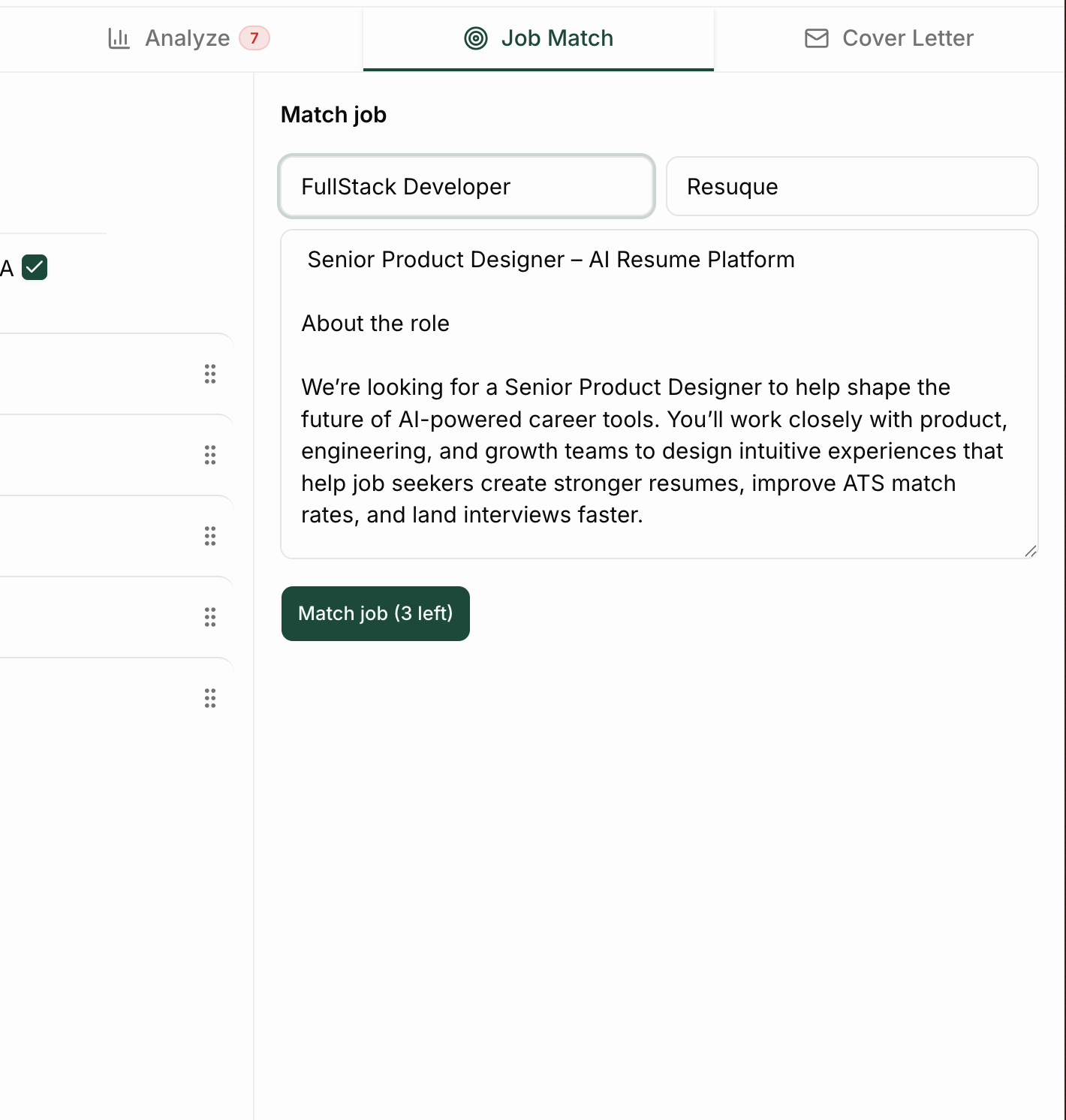
Step 1: Open the Job Match Tab
In the left sidebar of the resume editor, click Job Match.
This tool compares your resume against a job description and identifies important keywords.
Step 2: Paste the Job Description
Copy the job posting you are applying for and paste it into the Job Match panel.
Then click Run Match.
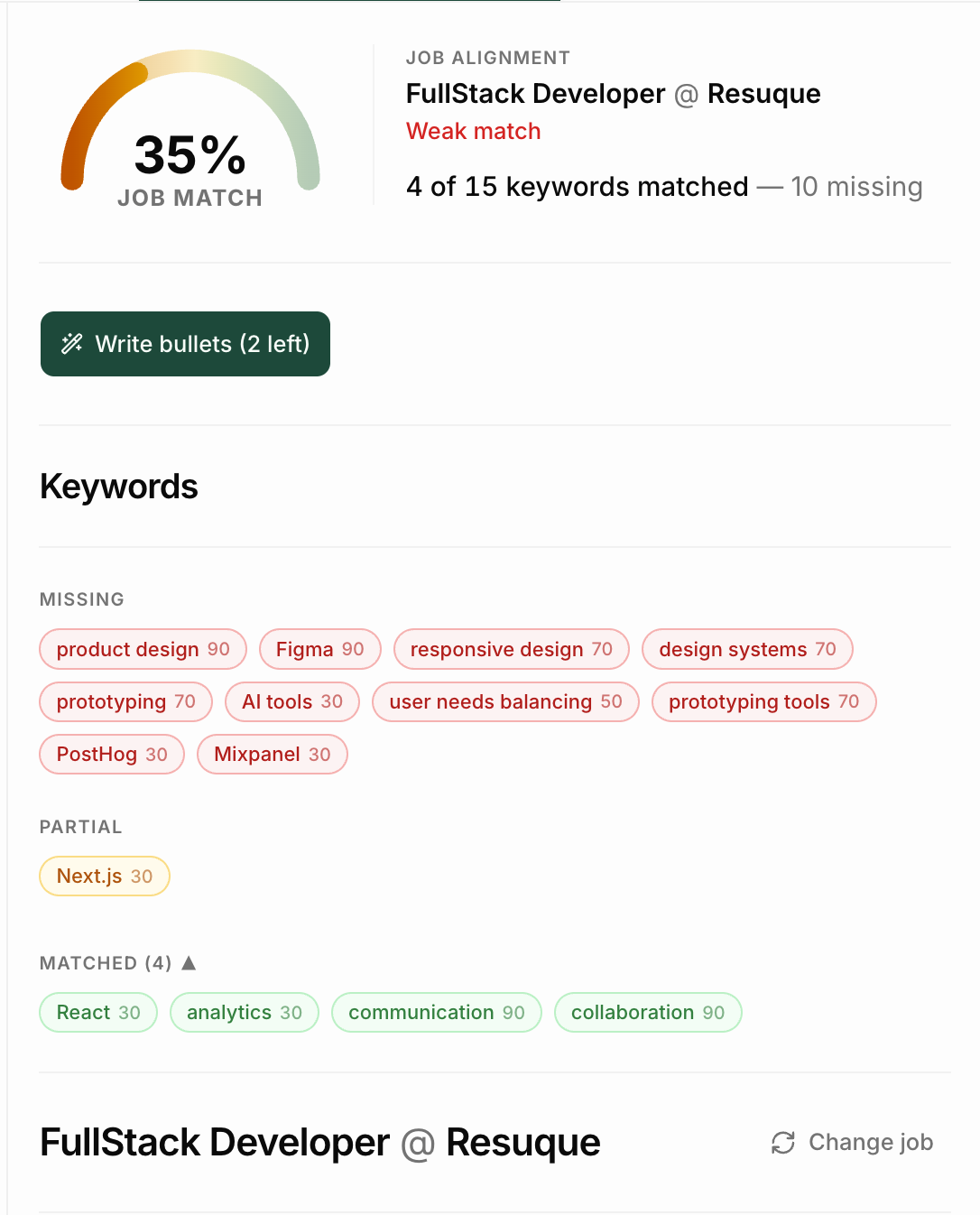
Resuque will analyze:
- ATS keyword alignment
- Missing skills
- Resume relevance
- Match score
Step 3: Review Keyword Matches
After the analysis runs, you’ll see color-coded keyword chips:
- Red = Missing from your resume
- Amber = Partially matched
- Green = Already included
This helps you quickly identify which skills or phrases the job description emphasizes.
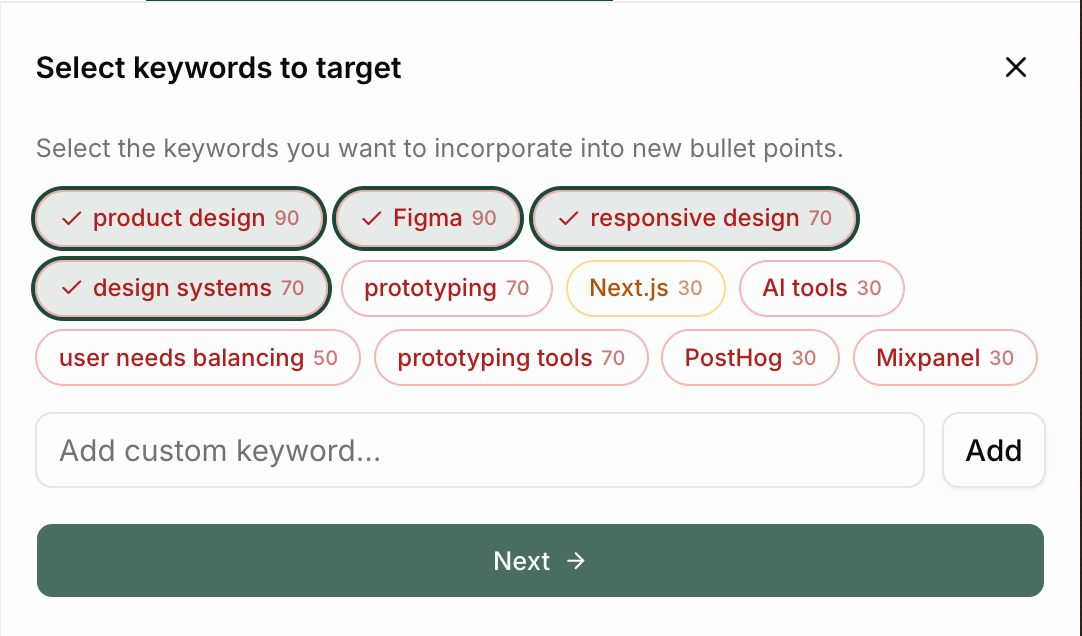
Step 3: Select Keywords
Choose which keywords to target.
- Red = missing
- Amber = partially matched
- Top keywords are pre-selected
- Custom keywords can be added manually
Click Next when ready.
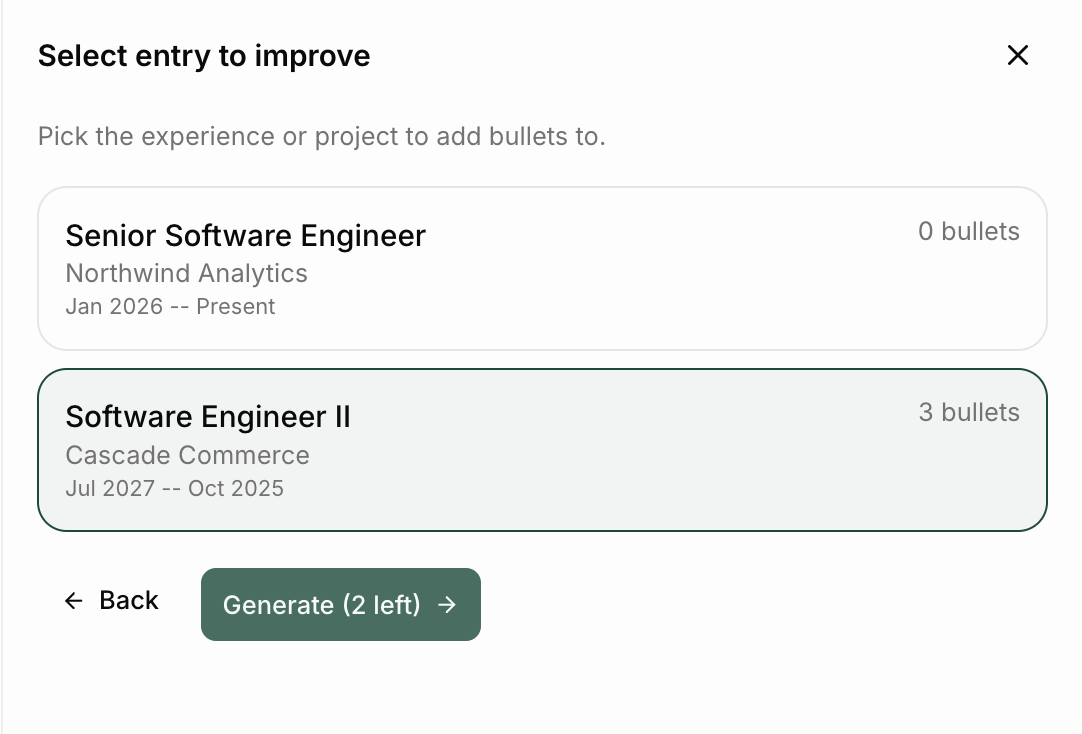
Step 2: Select and Entry
Choose which experience or project entry to improve.
Entries are ranked based on:
- keyword coverage
- room for improvement
Hidden entries are skipped automatically.
Click Generate to continue.
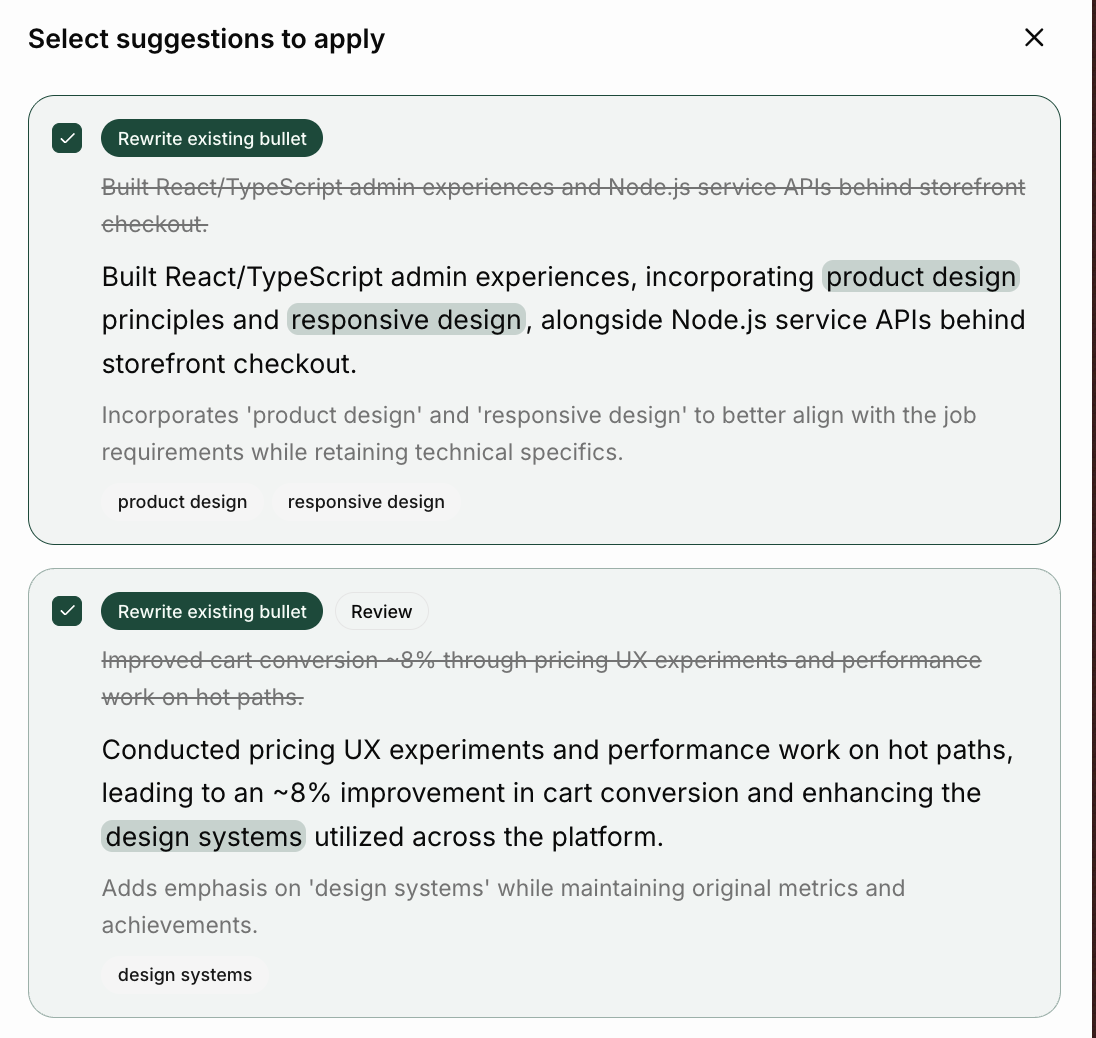
Step 3: Apply Suggestions
Review and select the suggestions you want to apply.
- Keywords are highlighted in green
- Confirm truth = verify details
- Review = wording may need a quick check
Options:
- Apply selected
- Regenerate
- Start over
What Happens After Applying
- Rewrites replace the original bullet
- Additional bullets are appended to the entry
- Resume analysis can refresh automatically
- Unapplied suggestions are temporarily saved
Best Practices for ATS Optimization
- Keep accomplishments measurable when possible
- Use action-oriented language
- Match terminology from the job description naturally
- Prioritize clarity over keyword stuffing
- Rewrite weak bullets instead of adding generic filler bullets
- Include relevant technical skills in context
Need More Help?
If you run into issues or want help improving a specific resume, contact support and include:
- The job title
- The ATS score you received
- A screenshot of the issue (if applicable)
- Which section of the resume you want help improving